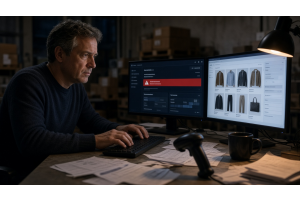
Magento is a high-value target. In our 5-store audit series, we found that 4 out of 5 stores had at least one critical security gap. And most owners were surprised — they thought their hosting provider or agency handled it.
Here's the uncomfortable truth: security rarely gets dedicated attention until something breaks. Your host secures the server. Your agency ships features. But neither is paid to guard your store against attacks every day. That's your responsibility — or your managed operations partner's.
So what?
10 things to check on your Magento store this week:
1. Admin panel is NOT on the public domain
If your admin is at /admin on the same domain as your store (magentopood.ee/admin), change it. Use a custom admin path and restrict by IP. Bonus: add HTTP Basic Auth or Cloudflare Access in front of the admin URL.
2. Two-factor authentication is enforced
Magento 2.4.x ships with built-in 2FA. But it's only effective if you enforce it for ALL admin users, including API integrations. Go to Stores → Configuration → Security → 2FA and make sure it's required.
3. All modules are from trusted sources
Check every installed module against: is it from a known vendor (Magento Marketplace, GitHub organization with history)? Does it have recent commits/updates? Is its composer package signed? Modules from unknown authors are the #1 supply-chain attack vector.
4. Security patches are current
Adobe releases security patches monthly and critical patches out-of-band. Check your Magento version against the Adobe Security Center. If you're more than one minor version behind, you have unpatched CVEs. Run: php bin/magento admin:security:check
5. Admin accounts are audited
List all admin users. Remove accounts for former employees, contractors, and agencies that worked on your store 2 years ago. Each dormant account is a risk. Run: SELECT * FROM admin_user ORDER BY user_id
6. File permissions are locked down
app/etc/env.php should not be readable by anyone except www-data. The var/ and pub/media/ directories should not be writeable from the web. Check: all non-public files should be 644, directories 755. No world-writable files.
7. Log files are rotated and cleared
Magento logs can grow to gigabytes, filling your disk and potentially exposing customer data. Set up log rotation. Run: php bin/magento maintenance:clean-log-tables regularly. Store logs off the web root.
8. SSL/TLS is current
TLS 1.0 and 1.1 are deprecated. Your store should enforce TLS 1.2 or higher. Check with SSL Labs test. Also check that HTTPS is enforced site-wide (Strict-Transport-Security header).
9. External service credentials are not in the codebase
API keys, payment gateway secrets, SMTP passwords should never be in app/etc/env.php committed to version control, in JavaScript source, or in module configuration files. Use environment variables or a secrets manager.
10. You have a recovery plan — and you've tested it
A security incident is not "if" but "when." The question is: do you know how to restore your store from backup in under 4 hours? Have you actually tested this in the last 6 months? A backup nobody has restored is not a backup — it's hope.
Why should you care?
The average Magento cleanup after a security breach costs €15k–€50k for a €500k+ store. That's before lost revenue during the 3–14 day downtime, before reputational damage, and before potential GDPR fines if customer data was exposed. Most of these 10 checks take less than 30 minutes each and cost nothing to implement.
At Magentopood, we offer a security audit package: fixed price €1,500, covers all 10 items above plus a detailed report with specific fixes. Email info@magentopood.ee.